Register Enrollment & Access
How to Register
When a participant paid fees for course Registration, he / she need to register on Learning Portal to access the course contents.
- Open Link
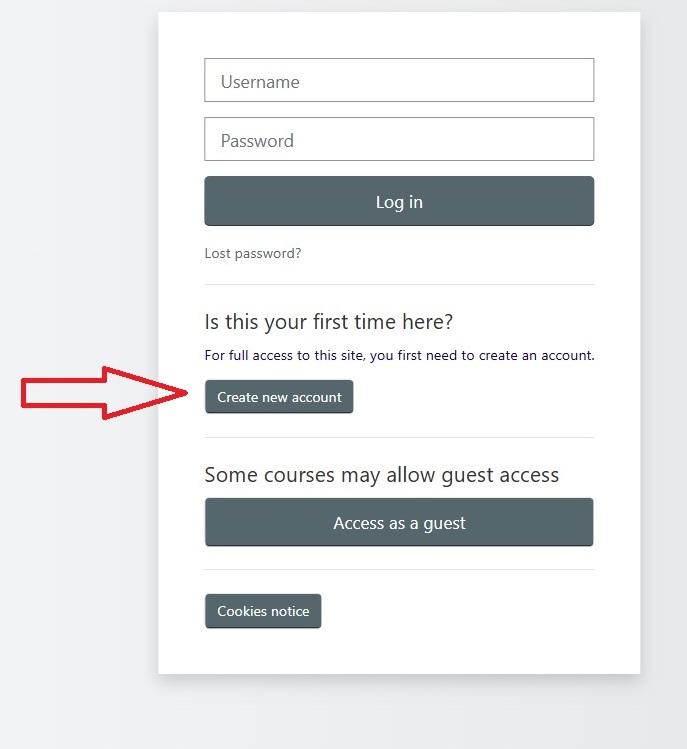
https://nandhiji108.com/courses/login/index.php - Click on Create New Account under option Is this your first time here?
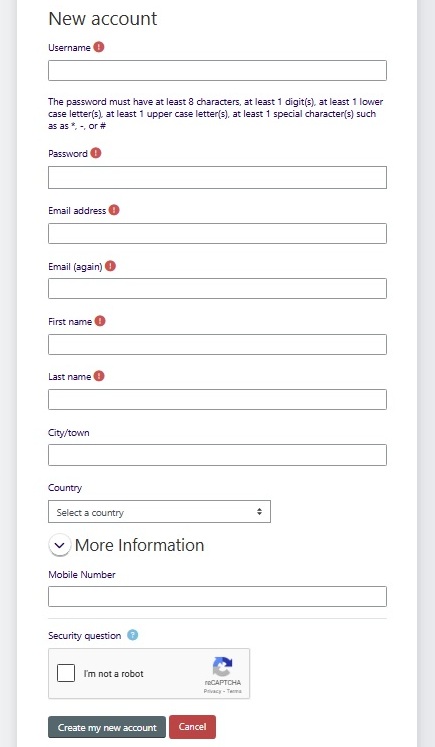
- Fill the details and Submit.
- Check email (Including Spam folder) for verification link
- Click on Verification link
- Once done send your name, email address, and requested course name at info@nandhiji108.com
- You will be updated in next 24 hours with your Enrollment Confirmation.
How to Access
Once participant Enrollment Completed. He/She can access it via 2 ways
Via Web Browser
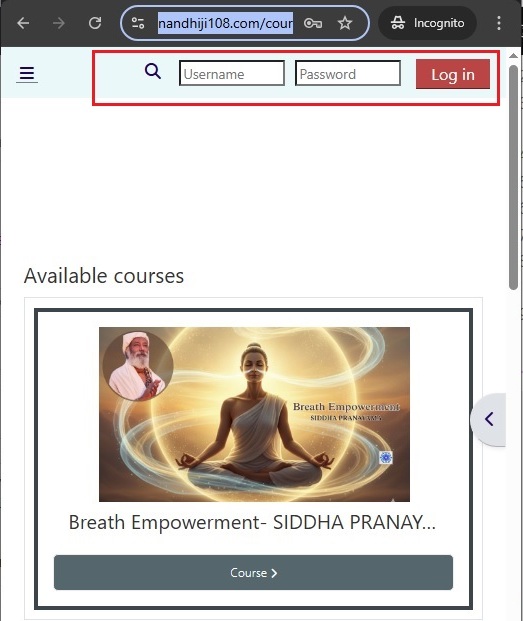
- Open Link
https://nandhiji108.com/courses/ - Click on Login
- Give user name and password set during Registration process
- Click on Login Button
- You will reach at Dashborad.
- Click on My Courses
- Your enrolled courses will be displayed.
- or You can search by typing the 3 initial letter of your course.
- Click on Course and further on different topics to Access it.
Via App
Click Below
After Installation of Moodle App
- Open App
- Select as Learner
- Enter or Copy below site as your Connecting site.
https://nandhiji108.com/courses/ - Enter user name and password, Click on Login
- Now access your course on the Go.
Install Moodle App
a) iPhone/Apple phone users install Moodle App using below link
https://itunes.apple.com/app/moodle-mobile/id633359593?mt=8
b) Android phone users install Moodle App using below link
https://play.google.com/store/apps/details?id=com.moodle.moodlemobile
Reset your Password
- Open Link
https://nandhiji108.com/courses/login/index.php - Click on Login
- Click on Lost Password option
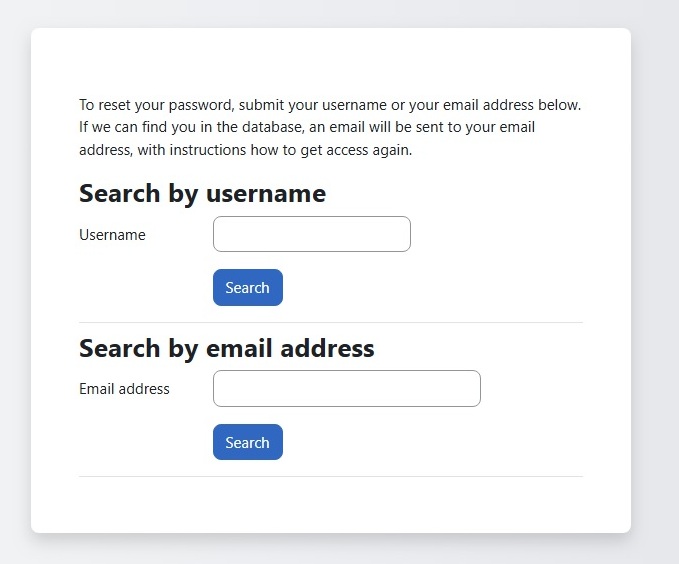
- Enter Either user name or Email id, not both and Submit
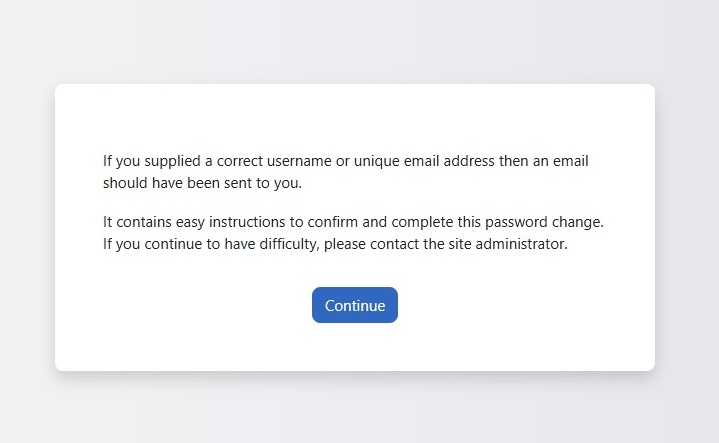
- Check Spam folder in you Email
- Click on Password Reset link
- Enter new password and save it
- Now Login again with new password to access the portal.